My Journey of Creating My First Webpage
LLM translatedThis English version was produced by a large language model and may contain errors. Read the Chinese original
In the course Artificial Intelligence-Assisted Translation Technology and Practice, I learned a great deal. For example, I learned the principles of AI, how to use AI to assist translation and interpreting, how to evaluate AI translation quality, and about the workflows of the actual interpreting industry. But more importantly, I will no longer be so easily frightened by the “AI replacement theory.” Looking back on this semester’s course, the only thing I feel regretful about is that, due to a lack of time and technical difficulties, I was unable to complete the in-class webpage creation. Because I did not want to give up halfway and because I was genuinely interested in it, I chose to create a webpage as my final assessment assignment for this course.
During class, our group ultimately could not complete the webpage creation because we could not log in to WordPress for making webpages. If I could not build on the in-class webpage, I would need to figure out from scratch how to create a webpage and customize its content. An article on CSDN titled “How to Create a Personal Webpage and Customize Its Content: A Complete Guide from Scratch” gave me a great deal of inspiration.
A webpage, in essence, is the basic unit that constitutes the information world of the Internet. It is an independent document viewed on the World Wide Web through a browser (such as Chrome or Safari), and every webpage has a unique web address, namely a URL. When we enter a web address or click a link, the browser sends a request to a remote server, and the server sends back the files that make up the page (mainly HTML, CSS, and JavaScript code). The browser then plays the role of translator and assembler, parsing and rendering this code into the complete visual interface we ultimately see, containing text, images, videos, buttons, and hyperlinks.
The core characteristic of the webpage lies in its interconnectedness, which is precisely the origin of the name “World Wide Web.” Hyperlinks in a page, like bonds, connect countless webpages around the world, forming a vast information network. From a technical perspective, a webpage is usually composed of three cornerstones: HTML is responsible for defining the structure and skeleton of the content, CSS controls visual presentation and layout style, and JavaScript gives the webpage dynamic behavior and interactive capabilities, enabling it to respond to user actions.
According to how they are generated and interacted with, webpages can mainly be divided into two major categories: static and dynamic. Static webpages have fixed content, like a printed brochure; they display the same information on every visit, are simple to create, and load quickly. Dynamic webpages, by contrast, are more intelligent and flexible; their content can be generated instantly according to different user actions, login status, or real-time data in a database. Common examples of dynamic webpages include social media feeds, product listings on shopping websites, and search results pages.
Thanks to various artificial intelligence software programs and apps, I could tell AI my webpage creation requirements and then have these tools help me refine the page and generate runnable code. After deciding that the webpage theme would be an introduction to Mr. Xu Yuanchong, I searched for which AI was good at making webpages, and among the many recommendations, I chose Kimi K2. Below is part of my initial conversation with it.
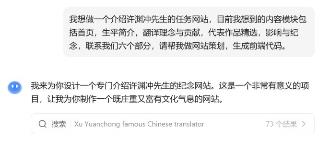
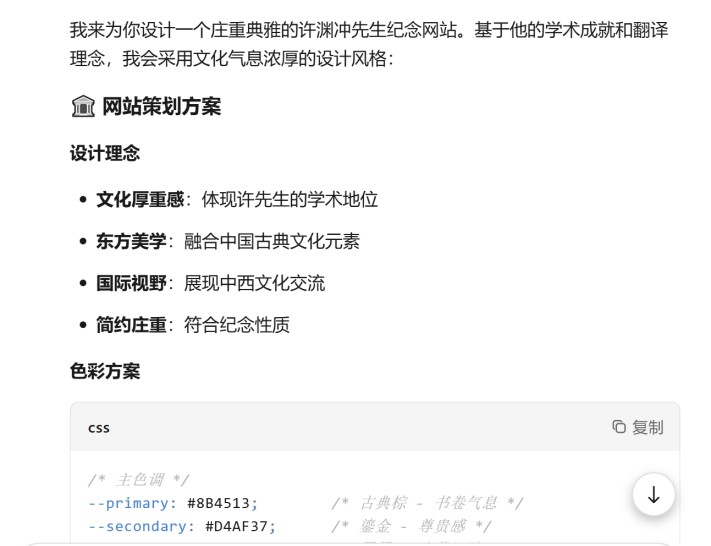
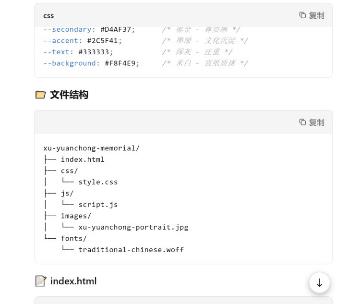
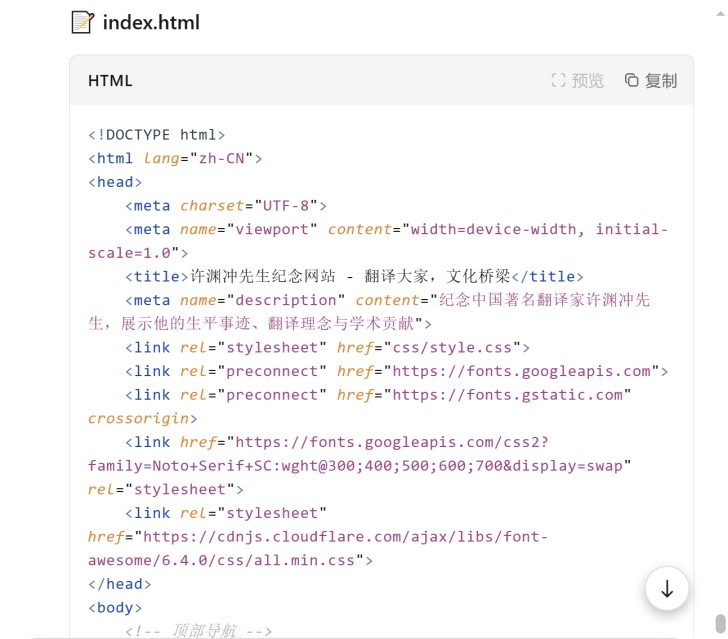
After I entered the instructions, Kimi quickly generated initial runnable code. Although the webpage preview was very flat, it had already given me a great deal of inspiration in both the content introduction and the layout design.
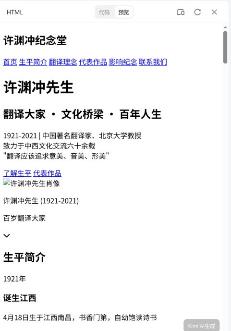
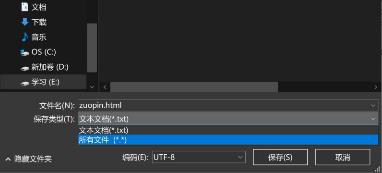
So, on this basis, I continued to have Kimi keep optimizing according to my ideas. Because the content was fixed, a static webpage was sufficient for the requirements of introducing Mr. Xu Yuanchong, and more complex interactive functions were not needed. Therefore, in the end, one CSS file for webpage optimization and six HTML structural code texts for building the webpage framework were generated. The HTML structural code needed to be copied separately into newly created blank text documents and saved as files with the .html file extension, so that they could change from code into webpages that could be opened.
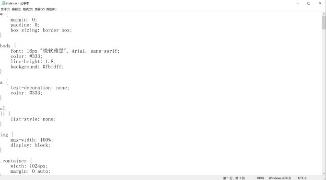
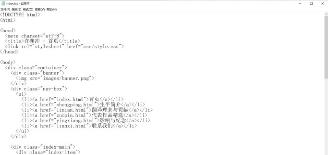
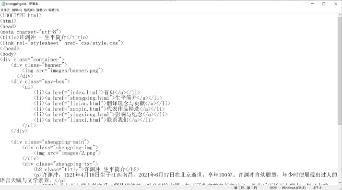
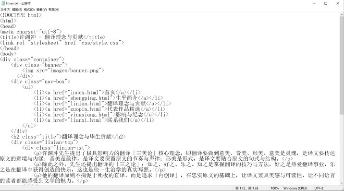
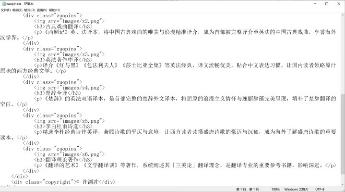
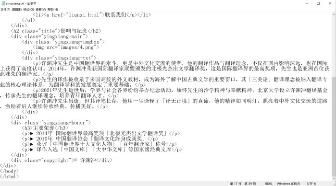
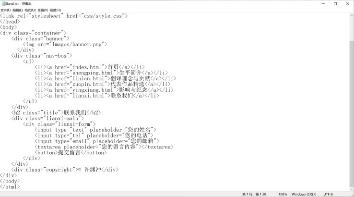

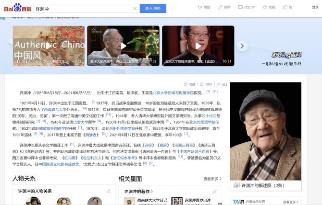
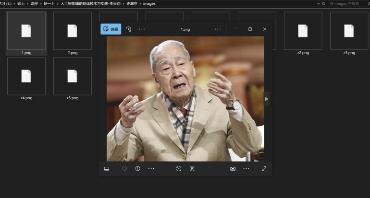
Next, based on the generated webpages, I collected text and images for subsequently verifying whether the content generated by Kimi is true and accurate, or, when dissatisfied with it, inserting them into the HTML for modification, replacement, and supplementation.
Below are the six pages of the website and the corresponding final consolidated instructions.
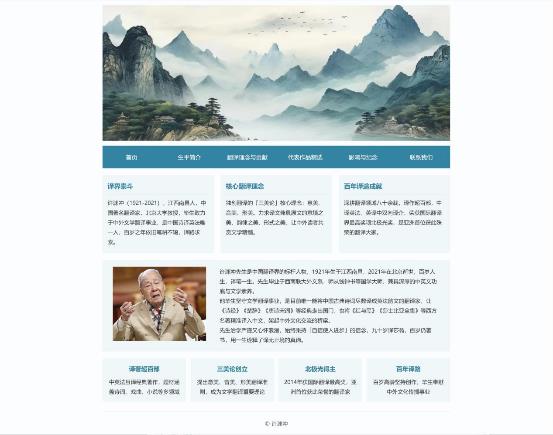
(1) Homepage (index.html)
Top area: in order, a banner image and a navigation bar divided into six equal sections, consistent with the other pages. Core content area: divided into three modules: ① Index module: uses a three-column floating layout, each column 32% wide, with 2% spacing retained on the right, and the right-side spacing removed for the last column; each index item has a light blue-gray background and contains summary text on three core themes: “Leading Authority in Translation,” “Core Translation Philosophy,” and “A Century of Translation Achievements.” ② Profile module: uses a two-column layout, with the left side 30% wide for a portrait photo and the right side 68% wide for biographical introduction text; the text area uses first-line indentation and, in three paragraphs, introduces Mr. Xu’s core identity, academic background, and scholarly spirit. ③ Achievements module: uses a four-column floating layout, each column 24% wide, with 1.333% spacing retained on the right, and the right-side spacing removed for the last column; each achievement item is center-aligned text, highlighting core achievements such as “More than 100 Translated Works” and “Establishment of the Three Beauties Theory.” Bottom area: full-width copyright area, with centered text “© Xu Yuanchong.”
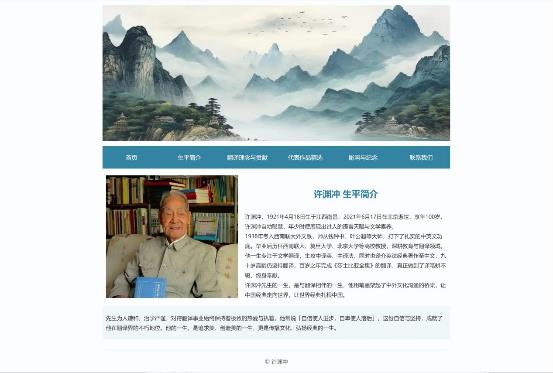
(2) Biography Page (shengping.html)
Top area: consistent with the homepage, containing a banner image and navigation bar. Core content area: divided into two modules: ① Main module: uses a two-column layout, with the left side 40% wide for a portrait photo and the right side 60% wide for biographical text; at the top of the text area is the main heading “Xu Yuanchong: Biographical Introduction” (blue-toned font, center-aligned), and the body text is divided into four paragraphs introducing in detail Mr. Xu’s birth and death information, educational background, career history, and core contributions. ② Supplementary module: bottom-bar design, with a light blue-gray background; the internal text supplements the introduction of Mr. Xu’s scholarly attitude and spiritual qualities. Bottom area: full-width copyright area. Centered text “© Xu Yuanchong.”
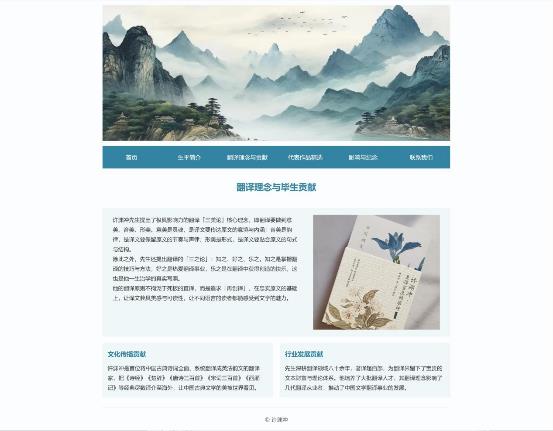
(3) Translation Philosophy and Contributions Page (linian.html)
Top area: contains a banner image, navigation bar, and main page heading (“Translation Philosophy and Lifelong Contributions,” blue-toned font, center-aligned). Core content area: divided into two modules: ① Philosophy module: uses a two-column layout, with the left side 58% wide for philosophy text and the right side 40% wide for related images; the text area explains in detail the core connotations of the “Three Beauties Theory” (beauty in sense, beauty in sound, and beauty in form) and the “Three Zhi Theory” (knowing it, liking it, and delighting in it). ② Contributions module: uses a two-column layout, each column 49% wide, aligned to the left and right respectively; each contribution item has a light blue-gray background and contains detailed content on two themes: “Contributions to Cultural Dissemination” and “Contributions to Industry Development.” Bottom area: full-width copyright area. Centered text “© Xu Yuanchong.”
(4) Selected Representative Works Page (zuopin.html)
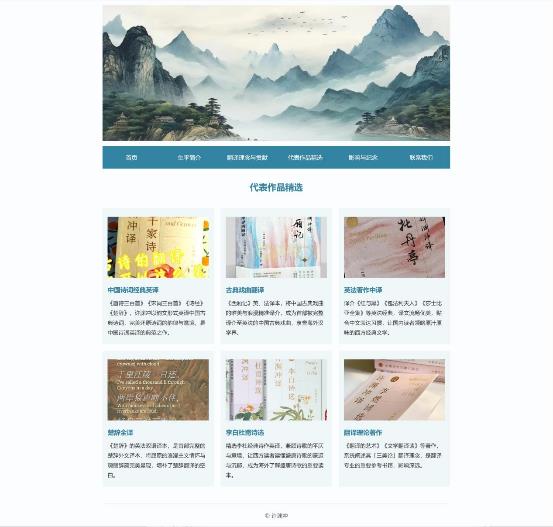
Top area: contains a banner image, navigation bar, and main page heading (“Selected Representative Works,” blue-toned font, center-aligned). Core content area: the works display module uses a three-column, two-row layout, each column 32% wide, with 2% spacing retained on the right, and the right-side spacing removed for the 3rd and 6th work items; each work item has a light blue-gray background and contains a work cover image (with an appropriate height-to-width ratio to ensure the image fits), a work title (blue-toned font), and work introduction text; the work categories cover core fields such as English translation of Chinese poetry, translation of classical opera, Chinese translation of English and French works, and works on translation theory. Bottom area: full-width copyright area. Centered text “© Xu Yuanchong.”
(5) Influence and Commemoration Page (yingxiang.html)
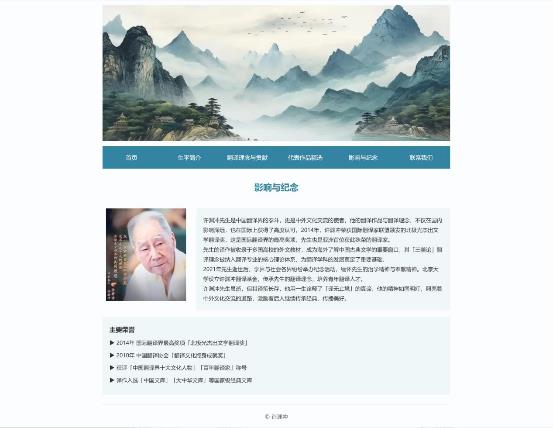
Top area: contains a banner image, navigation bar, and main page heading (“Influence and Commemoration,” blue-toned font, center-aligned). Core content area: divided into two modules: ① Influence module: uses a two-column layout, with the left side 25% wide for the image display area and the right side 73% wide for the influence text area; the text area introduces in detail Mr. Xu’s international recognition (such as the Aurora Borealis Prize), the inclusion of his works in textbooks, commemorative activities, and the establishment of funds; the image area displays related commemorative images. ② Honors module: full-width design, with a light blue-gray background; internally it contains the subheading “Major Honors” (blue-toned font), below which core honors such as the Aurora Borealis Prize and the Lifetime Achievement Award in Translation Culture are displayed in a bulleted list. Bottom area: full-width copyright area. Centered text “© Xu Yuanchong.”
(6) Contact Us page (lianxi.html)
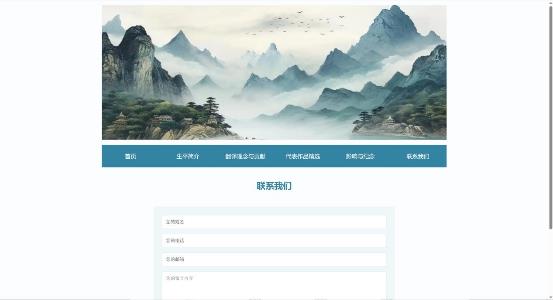
Top area: includes the banner image, navigation bar, and main page title (“Contact Us”, blue-toned font, center-aligned). Core content area: the message form module uses a centered layout, the form width is 70%, and a light blue-gray background is set; internally it contains 4 form elements: name input field, phone input field, email input field, and message text box, all set to 100% width and a light blue border; at the bottom is the submit button, which uses a blue-toned background and switches to dark blue on hover. Bottom area: full-width copyright section. The text “© Xu Yuanchong” is displayed in the center.
Building a webpage was far more complicated than I had imagined. As a complete beginner, even with the help of AI tools, I still needed to spend a considerable amount of time on self-study and exploration, upgrading my knowledge and skill base—for example, what a webpage includes, how to use webpage-related terminology so that AI can understand our requests, how to turn text into a webpage, and what kind of data settings would make the resulting webpage beautiful and concise... In particular, AI is a tool that relies heavily on explicit instructions; if our own knowledge base is insufficient, the instructions we give AI will be ambiguous, and the results AI feeds back to us will then be far from our expectations. In addition, the process of making a webpage also greatly tests our patience and meticulousness: the spacing and width of each column must be considered and calculated, centering and font size must be specified, and every data point is the result of constant fine-tuning; behind seemingly simple instructions lie many, many rounds of preview-debug-iteration.
In any case, for me, this practical exercise was a very memorable experience and also a very meaningful assignment. We should regard AI as an extension of our capabilities, not as a replacement for the human subject. It is good at processing information, summarizing patterns, and accelerating execution, but it does not possess value judgment, subjective initiative, or genuine experience. Therefore, the core purpose of using AI is not to “let it think for us,” but to free humanity from repetition and inefficiency and to reinvest our energy in judgment, creation, and choice. In dealing with AI, we need to maintain a sober and restrained attitude. We should neither deify it and treat its results as authority, nor fear or reject it; rather, we should understand its boundaries. AI’s output is essentially a recombination of probabilities and experience; what truly matters is not what AI can do, but what we choose to let it do and not do. Ultimately, the relationship between humans and AI should not be one of dependence or confrontation, but of collaboration. AI provides speed and breadth; humans provide direction and meaning. Only when we maintain independent thinking and value awareness will AI become a tool that advances civilization, rather than a force that weakens subjectivity.